
GameForge Academy Logo GameForge Academy Contact Us
Contact Us
9 min read Intermediate May 2026

Getting Your Game Approved on App Stores

Publishing to iOS and Android involves different rules and review processes. We cover what reviewers look for, common rejection reasons, and how to prepare your game for submission.

App Store and Google Play store screenshots displayed on computer monitor showing game listings and ratings

Understanding the Review Process

Here’s the thing — app store reviews aren’t mysterious. Apple and Google have published guidelines, and they’re pretty clear about what they want. The problem is that most developers don’t actually read them carefully before submitting. We’ve seen solid games rejected simply because nobody checked the submission requirements.

Apple’s review typically takes 24-48 hours. Android can be faster — sometimes just a few hours — but both platforms use a combination of automated checks and human reviewers. The human part matters. An automated system might flag your game for a policy violation, but a real person at Apple or Google will look at it and decide if it’s actually a problem.

Your game’s metadata — that’s your screenshots, description, rating category, and content warnings — gets reviewed just as carefully as the actual code. If your app description says one thing but your game does something different, that’s a red flag. We’ve seen games rejected because their screenshots showed features that didn’t actually exist in the submitted build.


Developer sitting at desk reviewing app store submission checklist and guidelines on dual monitors

Note on Platform Policies

App store policies change regularly. The information here reflects current guidelines as of May 2026, but you should always check Apple’s App Store Review Guidelines and Google Play’s policies directly before submitting. Each platform has specific requirements that vary by game category and content type.

iOS Review Guidelines and Common Rejections

Apple’s review team is notoriously strict, but it’s not random. They’re looking for crashes, misleading marketing, policy violations, and incomplete builds. The most common rejection reason? Your app crashes on launch or during basic gameplay. Always test thoroughly on actual devices before submitting — simulator testing isn’t enough.

Misleading metadata gets apps rejected constantly. Don’t promise features you haven’t built. If your game description says it has multiplayer but you haven’t implemented it yet, Apple will reject it. We’ve seen developers submit with placeholder screenshots from other games — that’s an instant rejection. Your screenshots need to be actual screenshots from your game.

Age rating is critical. Apple uses the IARC system, which rates apps from 4+ to 17+. Get this wrong and your whole submission can be rejected. If your game has violence, you need to be honest about it. A “cute” game with cartoon combat still needs appropriate rating. Most rejections in this category happen because developers downrate their games to reach a wider audience.

  • Crashes on startup = automatic rejection
  • Misleading screenshots or descriptions
  • Incorrect age rating for content
  • Broken in-app purchases or payment issues
  • Missing privacy policy or unclear data collection
Tablet screen showing iOS App Store review guidelines document and submission checklist with checkmarks
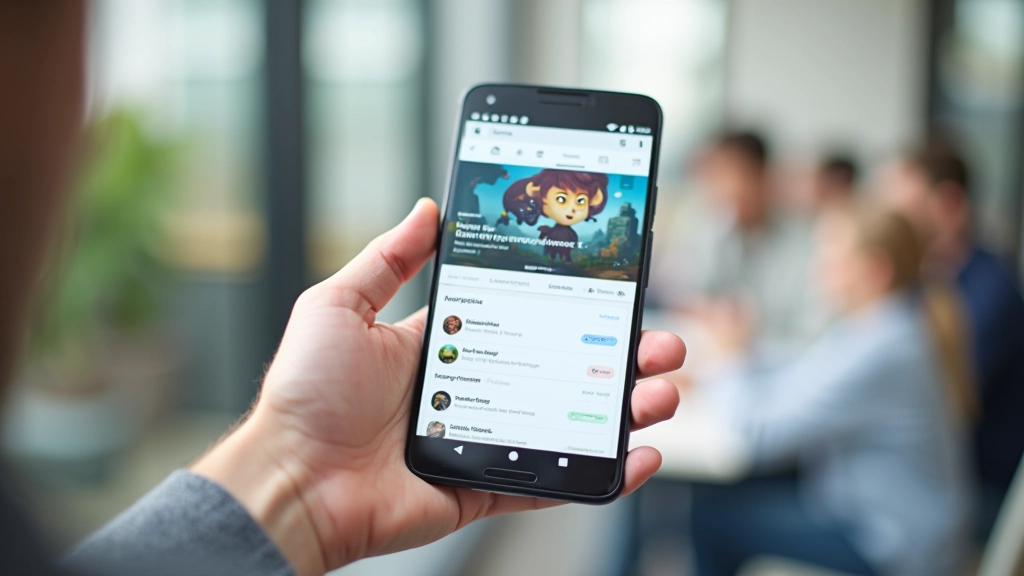
Mobile phone displaying Google Play Store game listing with ratings, reviews, and install button highlighted

Android and Google Play Requirements

Google’s review process is generally faster and less strict than Apple’s, but don’t let that fool you. They still reject games. The biggest difference? Google cares more about technical compliance and policy violations than Apple does about minor design issues.

Permissions are the first thing Google checks. If your game requests camera access but doesn’t actually use it, Google will reject it. Same with location, contacts, or microphone access. Only request what you need. We’re talking about games here — they don’t need to access your contacts list. Remove unnecessary permissions before submitting.

Targeting API levels matters too. You can’t submit a game targeting Android 4.4 anymore. Google requires a minimum API level that keeps moving up. Right now, you’re looking at API 31 or higher for new submissions. Your build needs to actually target that level, not just claim to support it.

Content rating is important on Android as well. Google uses the International Age Rating Coalition, same as Apple. Be honest about what’s in your game. Violence, language, and sexual content all factor in. Unlike Apple, Google’s less about subjective judgment and more about following a checklist.

Pre-Submission Checklist That Actually Works

You don’t want to get rejected. Rejections cost time — we’re talking 3-7 days minimum before you can resubmit. Create a checklist and actually use it. Here’s what we recommend:

1

Test on Real Devices

Simulator testing is fine during development. But before you submit, test on actual iOS devices and Android phones. Different hardware behaves differently. You’ll catch memory leaks, performance issues, and compatibility problems that the simulator hides.

2

Create Honest Screenshots

Your first five screenshots matter most. People see them before they download. Make them show actual gameplay, not concept art or edited mockups. Reviewers will compare your screenshots to what’s actually in the build.

3

Write Clear Descriptions

Your game description should match what reviewers will actually see in the game. Don’t oversell features. If you haven’t built multiplayer yet, don’t mention it. Save that for version 2.0.

4

Check Permissions

Go through your AndroidManifest.xml or iOS Info.plist. Every permission should have a reason. If you’re not using a permission, remove it. Google and Apple notice unused permissions and flag them.

5

Set Correct Age Rating

Use the official rating systems. IARC for both platforms. Answer honestly. It’s better to rate your game higher and reach fewer people than to misrate it and get rejected.

6

Include Privacy Policy

Even if you don’t collect data, you need a privacy policy. It should be clear about what data you do or don’t collect. If you use analytics, ads, or multiplayer features, your privacy policy needs to explain that.

Rejection Doesn’t Mean Failure

Most developers get rejected at least once. It’s not a reflection on your game’s quality. Usually it’s something fixable — a missing privacy policy, incorrect rating, or a crash on a specific device. Read the rejection message carefully. Apple and Google tell you exactly what the problem is. Fix it and resubmit.

The first submission is always the hardest. You’re dealing with uncertainty, unfamiliar systems, and platform-specific quirks. But you’ve got this. Check your checklist twice, test thoroughly, and submit with confidence. Your game’s worth sharing with the world.

Marcus Thornton

Author

Marcus Thornton

Senior Game Development Instructor & Technical Director

Senior Game Development Instructor with 14 years of shipped titles across iOS, Android, and console platforms, based in Perth.